
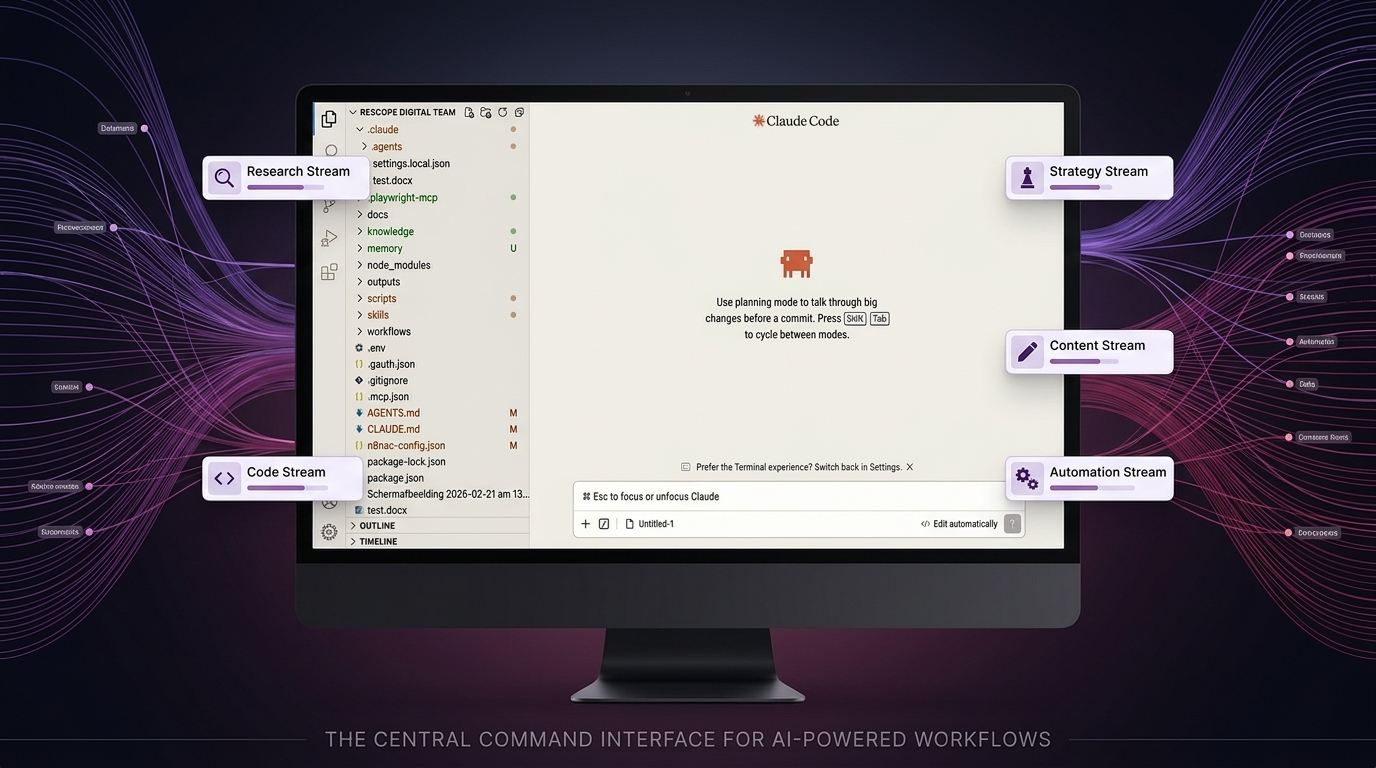
When you give Claude Code a complex assignment, you see the result. What you do not see is everything that happens in between. An agent that splits itself up, manages its own memory, carries out work that survives beyond the conversation and decides for itself when it is done. That mechanism is not magic. It is design.
The heartbeat of an agent
An agent does not work linearly. It works in a cycle: execute an action, look at the result, decide what comes next, repeat. That cycle does not stop at a fixed point, it stops when the agent itself decides the task is complete. That is the fundamental difference from a script that is worked through step by step.
In practice this means that a complex task runs through tens or even hundreds of cycles before it is finished. Each cycle is a decision point: what have I just seen, what do I do now?
What struck me early on: when building the website, the developer agent worked blind at first. It wrote code but did not see the result. I noticed the layout was wrong and had to keep describing what was going wrong myself. After some research and working through a tutorial, I found the solution: install the Playwright MCP plugin and explicitly give the agent the tools to open a browser and take a screenshot. Once those tools were available, its way of working changed entirely. After each visual step it took a screenshot, examined the result and decided on the basis of what it saw whether it could continue. Like a designer who pulls a proof before approving a version.
That single insight taught me something broader: an agent is as autonomous as the tools you give it. No more, no less.
Breaking down large tasks without losing the overview
Giving a complex assignment to one agent all at once does not work. Not because the model cannot handle it, but because the main agent loses all its attention in the details. Every file read, every API call, every intermediate result piles up in its working memory.
The solution is subagents. The main agent breaks the task into parts and delegates each part to a subagent with its own clean context. That subagent executes its part, sometimes tens of steps deep, and returns only the final result. All the intermediate noise disappears. The main agent keeps oversight without needing to see every detail.
When building the Campaign Hub, the developer agent worked this way. Separate subagents for the database migration, the API layer and the webhook integration. Each with its own clearly defined task. The main agent received three answers, not three hundred intermediate steps.
This is how you instruct a good human employee too: give context, define the result, trust the process.
Memory that does not clog up
An agent has a context window: the amount of information it can actively hold. In a long working session, that fills up. A code file of a thousand lines already consumes four thousand tokens. Let an agent work long enough and it starts to forget what it did earlier.
A well-built agent compresses automatically, in three layers. The first layer runs quietly after every step: old tool results are replaced by a brief summary. The second layer activates when the window approaches its limit: the full conversation is written to disc and summarised, after which that summary replaces the full history. The third layer you can activate yourself when you want to free up space.
Nothing is truly lost. Everything is moved, not deleted. The agent stays sharp because it is not dragging along what is no longer relevant.
Work that survives beyond the conversation
A conversation ends. A well-built task system does not. Tasks are written away with their status and dependencies: task B only starts when task A is complete, tasks C and D run in parallel. That system survives context compression and session closures. A new session picks up where the previous one stopped.
Moreover, an agent can run slow operations in the background whilst already working on the next step. During the website build, the developer agent ran installations in the background whilst simultaneously writing configuration files. Two things at once, without one blocking the other.
How you organise this in practice
The mechanisms above are powerful. But they only work when the layer around them is well organised. And that is where most implementations go wrong.
After ten weeks I have built my system in five layers. Each layer has its own place, its own format and its own reason.
CLAUDE.md: the constitution
This is the first file the agent reads in every session. It contains no client data, no knowledge about my methodology and no concrete tasks. It contains behavioural rules: how do I work, which tools do I use when, how do I resolve conflicts, when do I ask for confirmation? CLAUDE.md is short and focused. Everything that does not belong in it sits elsewhere. An agent that receives a CLAUDE.md that is too long loses overview. An agent that receives a vague CLAUDE.md improvises.
knowledge/: stable domain knowledge
Everything the agent needs in order to work well over the long term sits in the knowledge folder. Client profiles, brand guidelines, methodologies, API references, quality criteria. This knowledge does not change per conversation.
Active knowledge domains are each organised in three files. knowledge.md contains confirmed facts and patterns, things that have been tested and hold up. hypotheses.md contains observations that need more data, hunches that are not yet proven. rules.md contains rules that are applied by default, derived from hypotheses that have been sufficiently confirmed. When a hypothesis holds up three times, it moves to the rules. When a rule is contradicted by new information, it goes back to the hypotheses. In this way the knowledge of the system grows with practice.
That three-layer structure is particularly valuable in domains that are continually evolving. AI strategy is the prime example. What is a proven approach today can be outdated in six months by a new model, a new tool or a shift in the market. By marking observations first as a hypothesis and only moving them to a rule after sufficient confirmation, you build a knowledge system that grows with practice. The agent does not trust too early what has not yet been proven, and does not hold onto rules that reality has already overtaken.
In my setup it is the senior-strategist who actively juggles those three layers. Whenever the market shifts, a client conversation yields new insights or an approach is adjusted, it is that agent who assesses what still holds, what remains a hypothesis and what is proven enough to apply as a rule. In this way the Rescope strategy stays iterative, aligned with a sector that reinvents itself every few months.
memory/: what is preserved across conversations
Claude Code has two layers of memory. The first is built-in and invisible: a hidden folder outside your project directory that Claude loads automatically at every session. You do not see that folder in your editor, but it exists and works silently in the background. This is where the system stores things like your personal preferences and session settings.
The second layer you have built yourself. Inside the project folder we created a memory/ directory with a MEMORY.md as an index, one file that is automatically loaded at every session and refers to separate files per category. For each category its own file: decisions taken with the reasoning behind them, signals from the market, client insights, open questions. Those files we write away ourselves, after conversations or after completed tasks. Concise, thirty lines at most, core plus reasoning. Not as an archive but as working memory.
The difference from the built-in layer: this one is visible, searchable and deliberately composed. You know exactly what is in it and why.
Credentials: local, never to the cloud
All passwords, API keys and tokens are stored in one local file: .env. The agent knows where to find that file and retrieves the right values when it needs to call an external service. That file is never in GitHub. The repository contains the code and the structure, but never the keys. A .gitignore rule ensures that .env is automatically excluded. Anyone who clones the code cannot do anything with external systems without filling in their own credentials. In this way the system stays shareable without security risk.
Three mechanisms that improve the system
Most systems grow but never get better. My system has three built-in improvement mechanisms.
knowledge/lessons.md is a log of errors and corrections. When the agent does something wrong or when I adjust an approach, that is written away with date and context. At the start of every session the agent reads this file. Not as a punishment, but as memory. Making the same mistake twice is a sign that there is no lessons.md.
knowledge/quality-gates.md contains a concrete checklist per output type. For a newsletter those are seven criteria, from word count to responsive HTML. For a proposal, different criteria. For a blog article, three mandatory readings. The agent works through the list before marking a task as complete and confirms to me which points have been checked. So I do not need to verify myself what I can leave to the system.
knowledge/daily/ contains a daily log per date. What was done, what decisions were made, what points are still open. Fifteen lines at most. When there are multiple sessions on the same day, it is appended to, not overwritten. There is therefore always a chronological overview of what has happened, usable for continuity and for looking back.
The lesson that summarises everything
The confusion between these layers is the most common problem at organisations that want to take AI seriously. Putting everything into one prompt. One document that has to serve simultaneously as the constitution, the domain knowledge and the memory. And then wondering why the agent sometimes knows things and sometimes does not, why it makes the same mistake twice, why it has to be briefed again after every conversation.
The answer is almost never the model. It is the structure around it.
The quality of an agent stands or falls with the information it receives, the moment at which it receives it and the structure in which that information is organised. That is not a technical challenge. It is an organisational question. And just as knowledge management in people only works when there is a structure behind it, it only works in AI when you think carefully about what belongs where and why.
How do you start with this yourself?
That question is asked by almost everyone who reads this. And the honest answer: not by setting up a production environment straight away.
Start with a contained experiment. Choose one concrete project, one team, one use case, and build it out completely before rolling it out more broadly. Not as a proof of concept, but as a real working environment, using sandboxes, test environments that are separate from production, so you can work in a controlled way without affecting the rest of the organisation.
Do not involve only IT. The people who know the business logic, who know what an exception looks like, who safeguard the client tone, they are just as indispensable as the technician building the system. An agent is only as good as the knowledge it is given, and that knowledge sits with your people, not in a manual.
A good starting point is Claude Desktop: install the app, grant access to a local folder, and start small. But move quickly to Claude Code in VS Code or another editor. There you can see per file what the agent is adjusting, how it plans, how tasks are broken down. That visibility is not a luxury, it is the fastest way to understand how orchestration works in practice.
Finally, invest first in understanding. Eight to ten hours of good tutorials, before spending a single euro on tooling or implementation. Not because the technology is complicated, but because you will use it incorrectly if you do not understand how it works. A good starting point is this video by Nick Saraev, which explains the system calmly and thoroughly. That is not a luxury, that is the prerequisite.